The control unit is an additional hardware device that allows real-time display of various ActivePager operational information on a dedicated monitor. This module is available separately from the standard system subscription and must be purchased separately.
Installation prerequisites
Before proceeding with installation, make sure you have the following items:
- Wired Internet connection (LAN)
- Two power outlets (one for the control unit and one for the monitor)
- A monitor with an HDMI connector (or VGA/DVI with HDMI adapter)
Physical installation of the control unit
Front connections
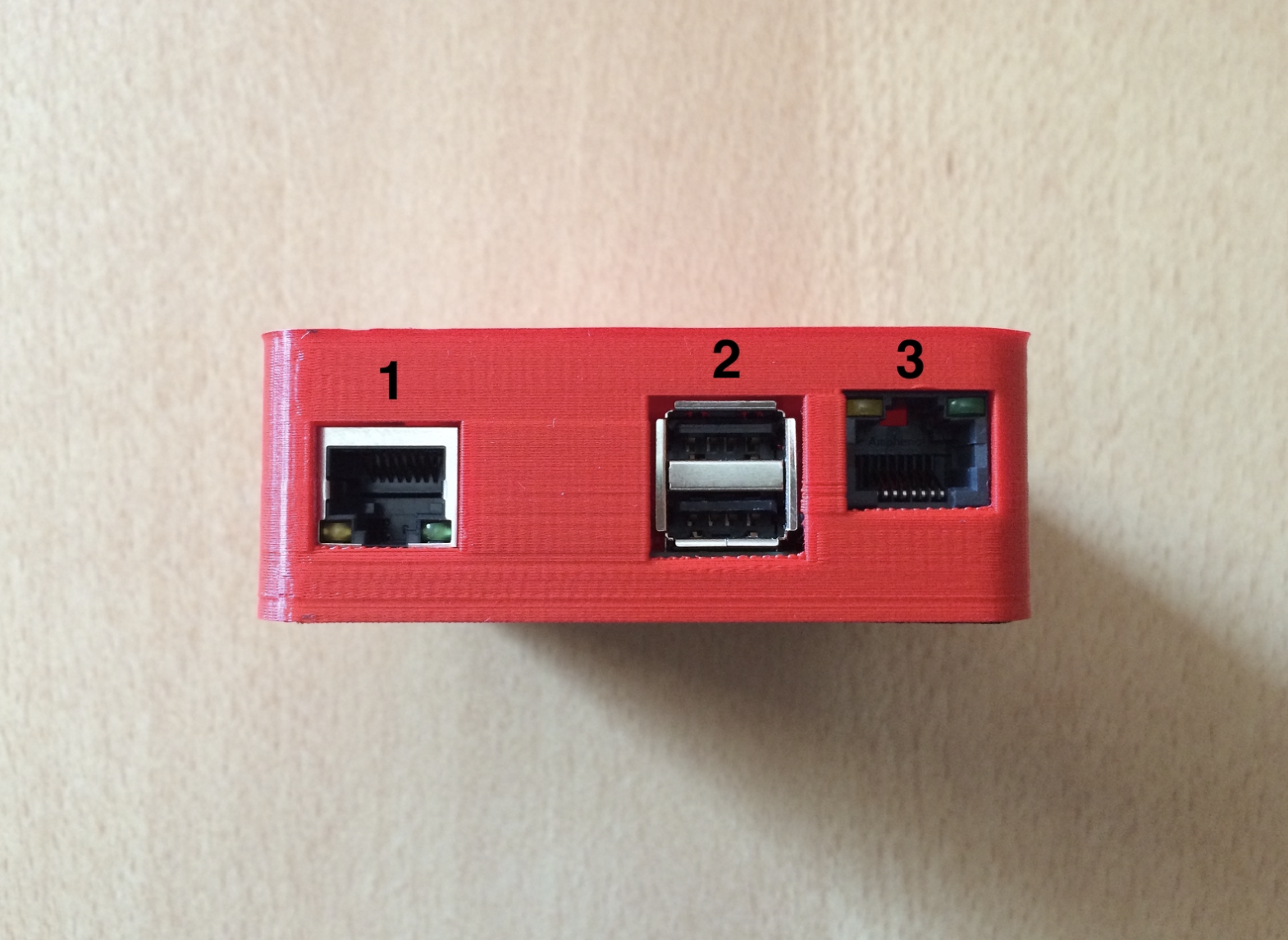
- LAN port for internet connection.
- USB port.
- Connector for radio connection with the appropriate cable.
Side connections
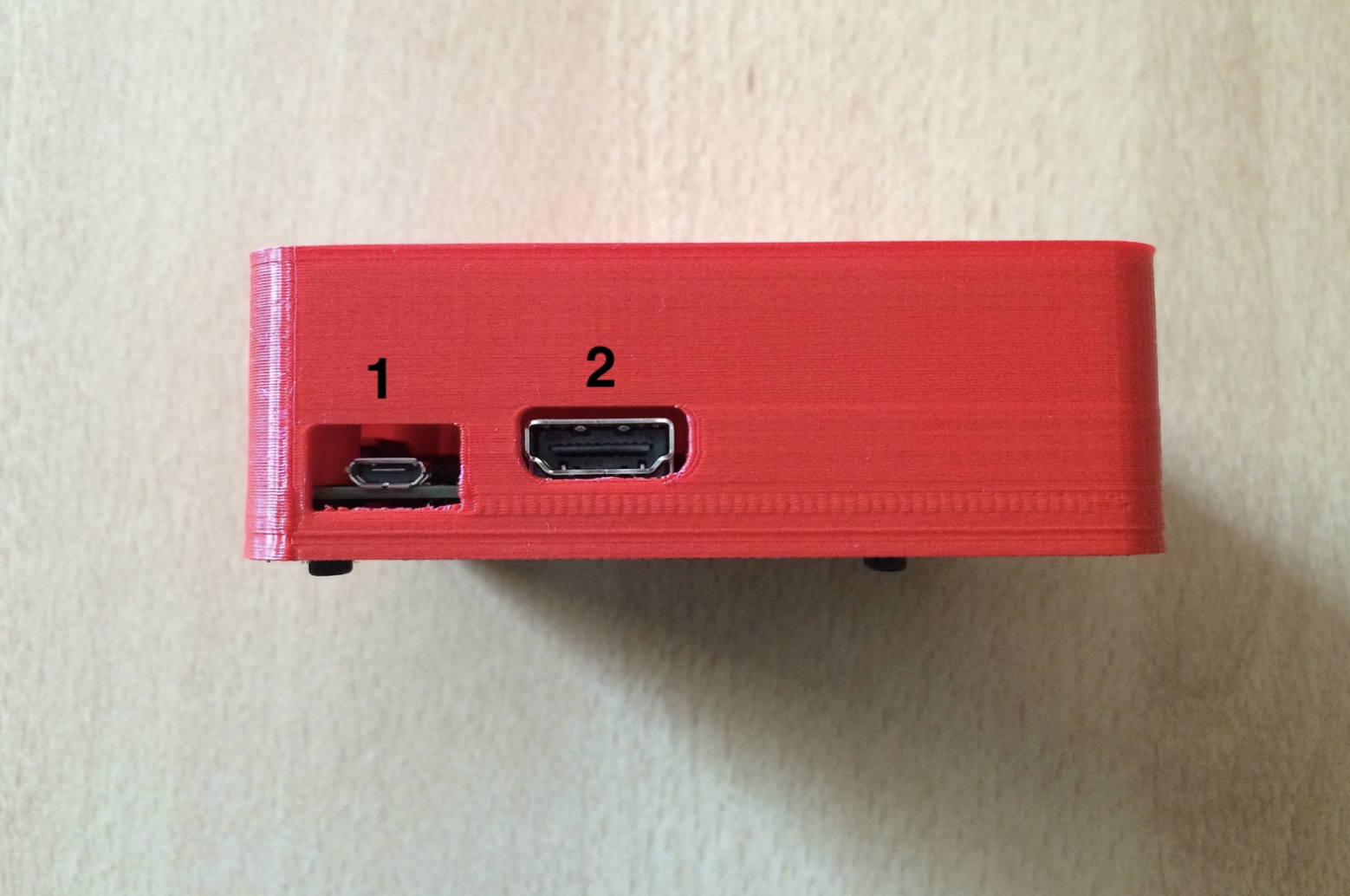
- Power.
- HDMI port to connect to the monitor.
Connect all cables correctly before powering on the control unit.
Control unit pairing
After turning on the control unit and connecting it to the monitor, a pairing code will be displayed on the screen.
To pair the control unit with the ActivePager system:
- Log in to the ActivePager system as an administrator.
- Go to the menu item: Settings → Settings → Control Unit tab.
- Enter the pairing code shown on the monitor in the "Pairing Code" field.
- Configure the following display options:
- Monitor scale
- Show departure status
- Show names of those present
- Show maintenance
- Show expirations
- Show lessons
- Show selective alerts
- Click the "Pair" button to complete pairing.
Displayable information
Once paired, the control unit can display:
- Departure status
- Names of users present
- Vehicle and equipment maintenance
- Important expirations (e.g., maintenance or materials)
- Selective alerts (alarm and operational messages)
- Scheduled lessons and training activities
Management and maintenance
- To update the information shown on the monitor, use the "Update monitor" button.
- To restart the control unit system, use the "Restart" button.
- To unpair the control unit from the system, use the "Unpair Control Unit" button.
Troubleshooting common issues
- No Internet: In case of internet connection loss, the control unit will not be able to send notifications or generate virtual selective alerts. Restart the control unit by unplugging and reconnecting power if you experience monitor issues.